
If a customer judged a bank by its ATM experience alone, how favorably would they view your organization?
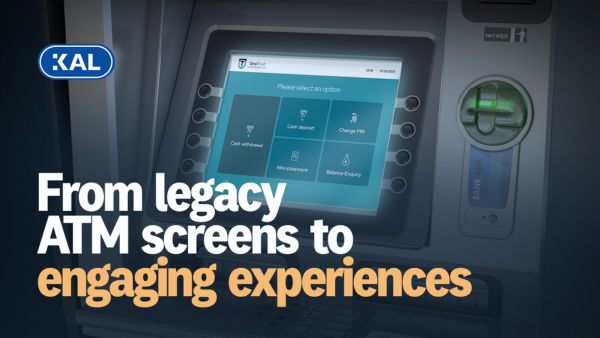
In an era of digital connectivity, personalized services, and intuitive technologies, the user interface (UI) is one of the clearest visual and functional links between customers and wider banking channels (including self-service devices). When modern, UIs enable seamless, familiar and efficient services. When outdated, they add friction where customers expect things to be simple. In this article, we’ll explore why UI modernization matters in the ATM industry and how banks are evolving to meet new customer expectations.
ATMs provide convenient banking, but older screen designs can hold them back
ATMs deliver services that digital channels cannot fully replace – especially where cash is concerned. They can maintain a physical presence for banks as branches close and integrate with mobile and online banking for more connected services. Yet despite this continuing relevance, legacy screens, unclear messaging and pre-web design conventions can quickly make ATMs feel outdated and harder to use. Modern UIs aren’t just a matter of appearances. They can also make ATMs easier, more understandable and more accessible for a wider range of users.
How have ATM UI conventions and customer expectations evolved?
Today’s tech-driven banking environment is very different from the one ATMs were first built to serve over 50 years ago. Since the 2000s, several significant design movements have shaped UI evolution. Here they are in simplified terms:
- 2000s: UIs mimicked the physical world via familiar objects, textures and tactile buttons
- 2010s: UIs prioritized smartphone screens with flatter, more minimalistic designs
- 2020s: UIs focus more on cross-channel consistency, white space and subtlety
With global internet users now online for over six hours per day, contactless payments booming and over 50% of Americans citing mobile apps as their banking preference, the user landscape is changing. And ATM screens should be changing with it.

Is the typical ATM experience modern or engaging enough?
In one of KAL's recent annual ATM industry surveys, 49% of bank respondents said the ATM experience they offer customers isn’t as modern or engaging as it should be (source: KAL’s 2024/25 ATM Software Trends Report). Since the UI shapes each customer interaction, modernizing it can help address this problem. While it may not always be possible or practical to replace older ATMs with newer, touchscreen models, refreshing older screen content and flows can create a more intuitive experience and help banks get more value from their existing ATMs.
Which ATM UI enhancements are banks prioritizing?
KAL’s 2025/26 survey data revealed the top three ATM UI enhancements banks are planning:
- Consistency with mobile and online banking
(Similar layouts and flows, mobile integration, QR codes, cross-channel features) - Expanded accessibility features
(Optimized text and audio, menu shortcuts, preferences, remote teller assistance) - Engaging visuals
(Richer visual elements – from images and graphics to animations and videos)
In our emerging report, 28% of banks identified user-friendliness as the most important part of the ATM user experience. So how do these intentions translate into real-world ATM transformation?
What makes a great ATM screen?
Modern ATM UIs vary widely across banks and hardware models, but the strongest examples tend to incorporate some of the characteristics below:
- Minimalist ‘less is more’ approach: Uncluttered screens that draw customer attention to key actions, input areas, and engaging visual features.
- Streamlined and intuitive flows: Fewer unnecessary steps, helping customers complete ATM sessions with less time and effort.
- Digital consistency and branding: A look and feel that complements both online channels and bank branding – boosting ease of use, visual familiarity and trust.
- Robust accessibility and usability: Visual, audio and physical capabilities that support ATM users with diverse needs. This is an essential part of effective UI design and customer service.
- Transition to paperless interactions: Digital receipt choices and broader on-screen guidance that makes customers less reliant on printed materials.
- Privacy controls: The ability to show or hide sensitive on-screen details like balances at the touch of a button.
- Relevant personalization: Recognizing customer preferences and displaying useful, targeted information.
- Clear communication: Simple prompts, straightforward language and multilingual options where needed.

What could the future of ATM UI design look like?
These enhancements show that enabling customers to perform transactions is now just one part of what ATM UI design should do. The UI makes a direct contribution to the wider customer experiences a bank offers – where consistency, usefulness and a personal touch all impact how customers perceive the brand.
From an operating system perspective, Windows 11 is helping accelerate ATM UI modernization by moving beyond legacy Internet Explorer components and supporting more modern experiences. Combined with trends like personalization, mobile integration, biometrics and stronger accessibility, banks now have more scope to make ATM interfaces efficient, targeted and consistent with their digital channels. This cross-channel relevance is key, as customers expect smooth movement between online, mobile, ATM and branch experiences.
To explore how a modern, connected ATM strategy could improve the experience you offer customers across your ATM network,